

Integration with Telegram
To receive notifications about filled AMP forms in Telegram, you can connect a bot integration.
Connecting the bot
- Find the @pixcraft_forms_bot bot in Telegram.
- Add the bot to the chat or channel where you want to receive notifications.
- In the chat with the bot, type the
/startcommand. - The bot will provide your chat ID — this identifier needs to be specified in the integration settings.
Setting up in Pixcraft
- Go to Component > Connection > Integrations.
- Select Telegram.
- Enter the chat ID obtained in the previous step.
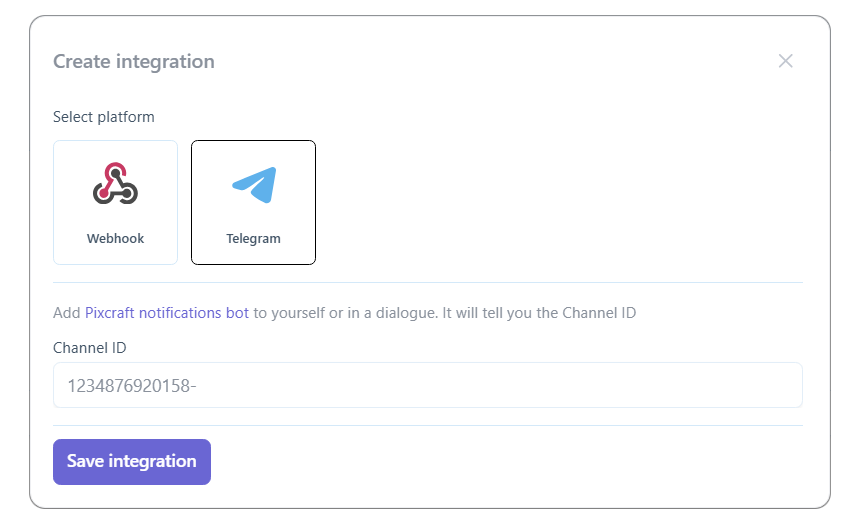
After setup, notifications about filled forms will be sent to the specified chat or channel.